

1.简介
Cesium(或CesiumJS)是一个用于创建3D地球和2D地图的开源JavaScript库(An open-source JavaScript library for world-class 3D globes and maps),并可以加载3D模型、遥感影像、地图瓦片等。
Cesium是一个node.js模块,这意味着它使用的node.js模块语法module.exports,而不是的ES6模块规范export default { }。为了在前端ES6上使用Cesium,需要使用Browserify或Webpack之类的东西,它们将允许使用ES6的import语法。
本文将简单介绍下Cesium+Webpack+TS的集成(主要是Cesium+Webpack以及Cesium+TS,Webpack+TS比较常见)以及解决Cesium加载在线地图颜色偏暗、地图模糊的问题。
2.安装
1 | `npm install cesium @types/cesium` |
3.Cesium与Webpack、TS集成
Cesium与Webpack的集成官方有教程(传送门,虽然示例中的Webpack的版本在写本文时有点老,部分高级的配置不能用),本人没有将css-loader集成进去,是通过在页面中引用css实现的。集成过程如下。
1)首先安装一个插件
1 | `npm install copy-webpack-plugin` |
2)在Webpack Config中定义一些变量
1 | `const CopyWebpackPlugin = require('copy-webpack-plugin'); const cesiumSource = 'node_modules/cesium/Source'; const cesiumWorkers = '../Build/Cesium/Workers';` |
3)修改Webpack配置对象
注意,以下配置来自于Cesium官方(虽然不尽相同),并没有包含TS的相关配置。
1 | `const config={ output: { // filename等其他配置 // Needed to compile multiline strings in Cesium sourcePrefix: '' }, amd: { // Enable webpack-friendly use of require in Cesium toUrlUndefined: true }, node: { // 解决使用node模块fs fs: 'empty' }, resolve: { alias: { // Cesium module name cesium: path.resolve(__dirname, cesiumSource) } }, plugins: [ // 复制 Source文件下的 Assets, Widgets, 和 Build/Cesium/Workers 到一个静态目录 new CopyWebpackPlugin([{ from: path.join(cesiumSource, cesiumWorkers), to: 'cesium/Workers' }]), new CopyWebpackPlugin([{ from: path.join(cesiumSource, 'Assets'), to: 'cesium/Assets' }]), new CopyWebpackPlugin([{ from: path.join(cesiumSource, 'Widgets'), to: 'cesium/Widgets' }]), new webpack.DefinePlugin({ // 定义cesium中用于加载资源的相对基路径(package.json位于/assets/package.json) CESIUM_BASE_URL: JSON.stringify('/assets/dist/cesium/') }), ] }` |
4)使用
按照上方配置,如果未使用TS,已经可以 import Cesium from ‘cesium/Cesium’ 了,但是如果使用TS,则会报错“找不到模块’cesium/Cesium’”,可以通过使用 @ts-ignore 来解决这个问题。
1 | `//@ts-ignore import Cesium from 'cesium/Cesium';` |
4.Cesium加载在线地图颜色偏暗、模糊
4.1.颜色偏暗
在使用Cesium加载OSM时,与官网和OSM本身相比(见图1)发现,官网和OSM本身颜色没有差别,但是自己实现的整体颜色偏暗,偏灰且模糊,而本身所有的代码除了初始化禁用了一些工具组件和设置视图中心外并未进行其他任何设置。
经过多番搜索咨询,发现只要禁用HDR即可解决颜色偏暗的问题:
1 | `this.viewer.scene.highDynamicRange = false;` |
禁用HDR后的效果如图2所示。
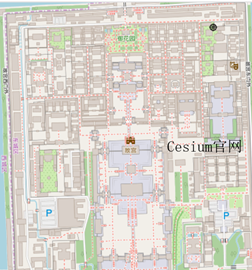
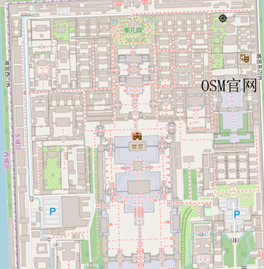
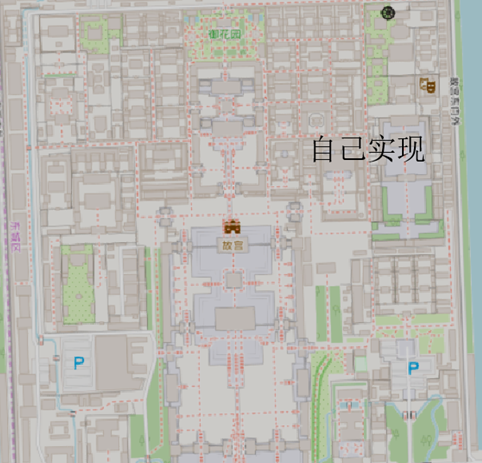
图1 颜色偏暗解决前
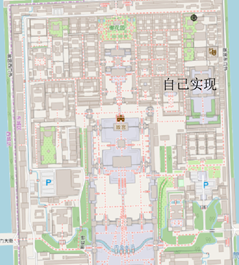
图2 颜色偏暗解决后效果
4.2.模糊
使用Cesium提供的Geocoder工具直接搜索北京结果如图3所示,发现自己实现的相当模糊。这是由于两者实现时使用的渲染比率等不一致导致的,可以将渲染比例调节为window.devicePixelRatio:
1 | `this.viewer.resolutionScale = window.devicePixelRatio;` |
可以从图4中看出地图清晰度明显提高,但还是不如Cesium官网的例子,不清楚Cesium官网的具体实现是怎么样设置的。
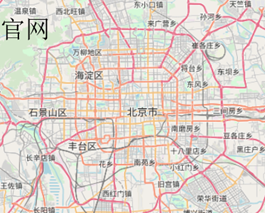
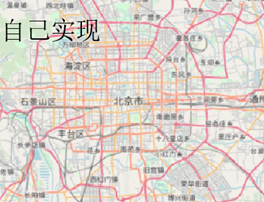
图3 模糊解决前
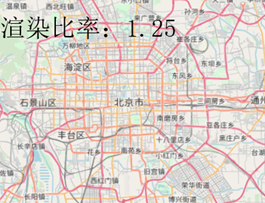
图4 模糊解决后